Unlocking Professional PCB Design with EasyEDA Pro: Features, Benefits, and Comparison
2025.02.05
In the world of electronics design, the right software can be the difference between a frustrating experience and a seamless project. EasyEDA has long been a popular choice for hobbyists and professionals alike due to its browser-based accessibility and free tier. But as projects become more complex, users often seek more robust features. This is where EasyEDA Professional steps in, offering advanced tools and capabilities for serious PCB design and simulation. This article will delve into the functionalities, advantages, and practical applications of EasyEDA Professional, helping you determine if it's the right choice for your professional needs, connecting the world of electronic design with practical needs and a drive for innovation.
What is EasyEDA Professional?
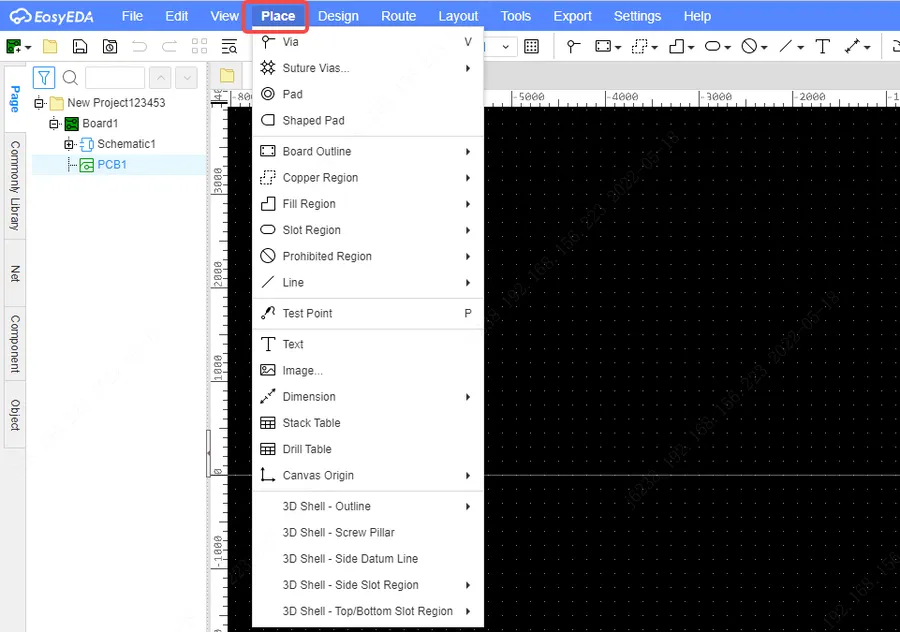
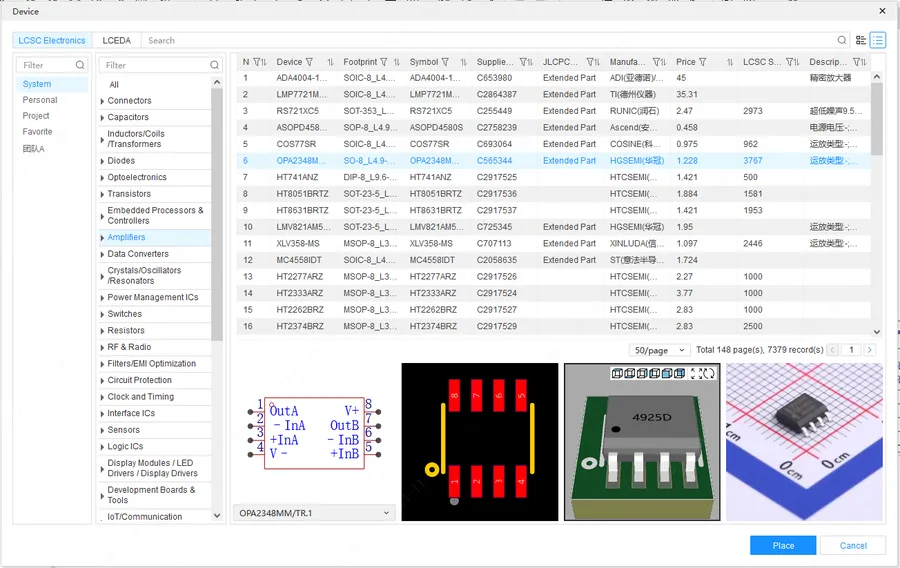
EasyEDA Pro software interface
EasyEDA Professional is a cloud-based, advanced Printed Circuit Board (PCB) design software tailored for professional engineers and designers. It elevates the capabilities of the standard EasyEDA platform, providing enhanced features, performance, and tools for tackling complex and demanding projects. This professional-grade software is distinguished by its use of a new WebGL engine, which enables smoother operation and more sophisticated design functionalities.
At its core, EasyEDA Professional targets professionals who require more robust design capabilities than the basic version offers. It operates entirely in the cloud, providing accessibility and collaboration benefits. The software's architecture is built upon a new WebGL engine that greatly improves graphical rendering and operation, enabling a more fluid design process. The key features are specifically designed to cater to high-complexity professional work, addressing the needs of the electronic design market and offering features tailored to their specific project demands. This results in a significantly more powerful and efficient PCB design environment.
Key Features of EasyEDA Professional
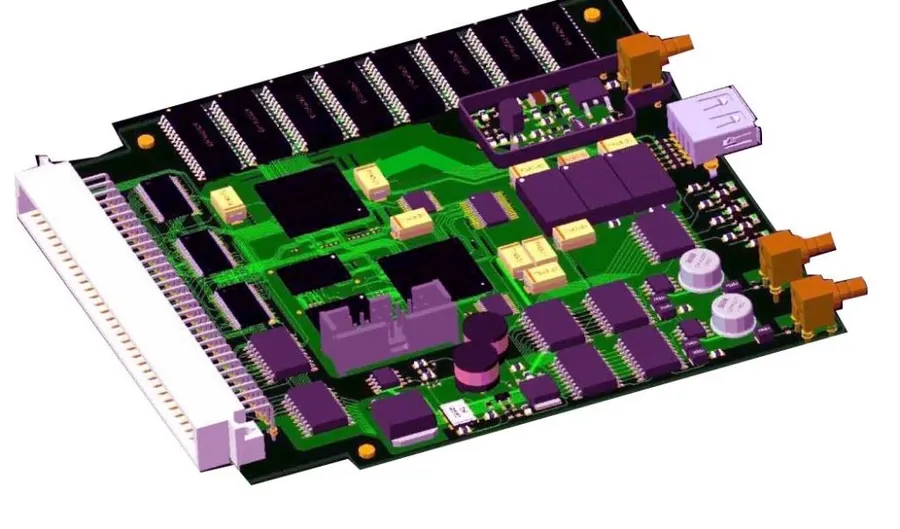
PCB design tools
EasyEDA Professional distinguishes itself from the standard version by offering a suite of advanced features tailored for high-complexity PCB design projects. These enhancements cater to the needs of professional engineers and designers, providing tools and capabilities that go beyond basic schematic capture and PCB layout.
Enhanced Component Libraries EasyEDA Professional boasts an expanded component library, offering a wider selection of both standard and specialized parts. This includes access to manufacturer-specific components with accurate models, reducing the need for manual library creation and minimizing design errors. The libraries are regularly updated, ensuring access to the latest components.
Sophisticated Routing Tools The professional version includes more advanced routing algorithms, such as push and shove routing, differential pair routing, and blind and buried via support. These tools allow for intricate PCB designs, better signal integrity, and improved manufacturability, particularly in complex multilayer boards. The routing engine is optimized for high-speed design requirements.
Advanced Simulation Capabilities EasyEDA Professional integrates powerful simulation tools for signal integrity, thermal analysis, and circuit performance. These capabilities allow engineers to validate designs and identify potential issues before physical prototyping. The simulation engine supports various analysis types, facilitating a thorough understanding of design behavior.
Improved Collaboration Real-time collaborative design capabilities are a core feature, allowing teams to work on the same project simultaneously. This enhances productivity and accelerates the design cycle. The platform includes robust version control, detailed user permissions, and clear communication tools to streamline the collaborative process. This is crucial for geographically dispersed teams.
WebGL Engine The software is underpinned by a new WebGL engine, which enhances rendering performance and responsiveness. This results in smoother interactions with the design environment and faster performance, particularly when handling large and complex projects. It allows users to work with complex layouts smoothly and efficiently.
High Complexity Project Support EasyEDA Professional is specifically designed to handle high-complexity designs, supporting larger board sizes, greater layer counts, and a higher number of components. This scalability ensures that the platform can accommodate the increasing demands of modern electronic designs. The software also offers features to ensure performance is not compromised with project complexity.
EasyEDA Standard vs. EasyEDA Professional: A Detailed Comparison
EasyEDA version comparison
This section provides a comprehensive side-by-side comparison of EasyEDA Standard and EasyEDA Professional, detailing key differences in features, performance, and pricing. This allows users to clearly understand the advantages of each version based on their specific design needs. We analyze several critical aspects, such as performance, collaboration capabilities, library sizes, simulation depth and support levels to allow an informed decision when choosing between the two versions.
Feature
EasyEDA Standard
EasyEDA Professional
Target Audience
Hobbyists, students, small projects
Professional engineers, complex projects
Component Libraries
Standard, community-driven
Enhanced, with more professional components, verified by system
Routing Tools
Basic auto-router, manual routing
Advanced auto-router with push and shove, multi-layer routing, advanced impedance control
Simulation Capabilities
Basic SPICE simulation
Advanced simulation, including mixed-signal simulation, thermal analysis, and more
Collaboration
Basic sharing options
Enhanced team collaboration tools, project management features
Performance
Good for small to medium projects
Optimized for large and complex projects, using a WebGL engine
Support
Community support
Prioritized professional support
Pricing
Free
Subscription-based with a free tier
Is EasyEDA Pro Suitable for Professional Work?
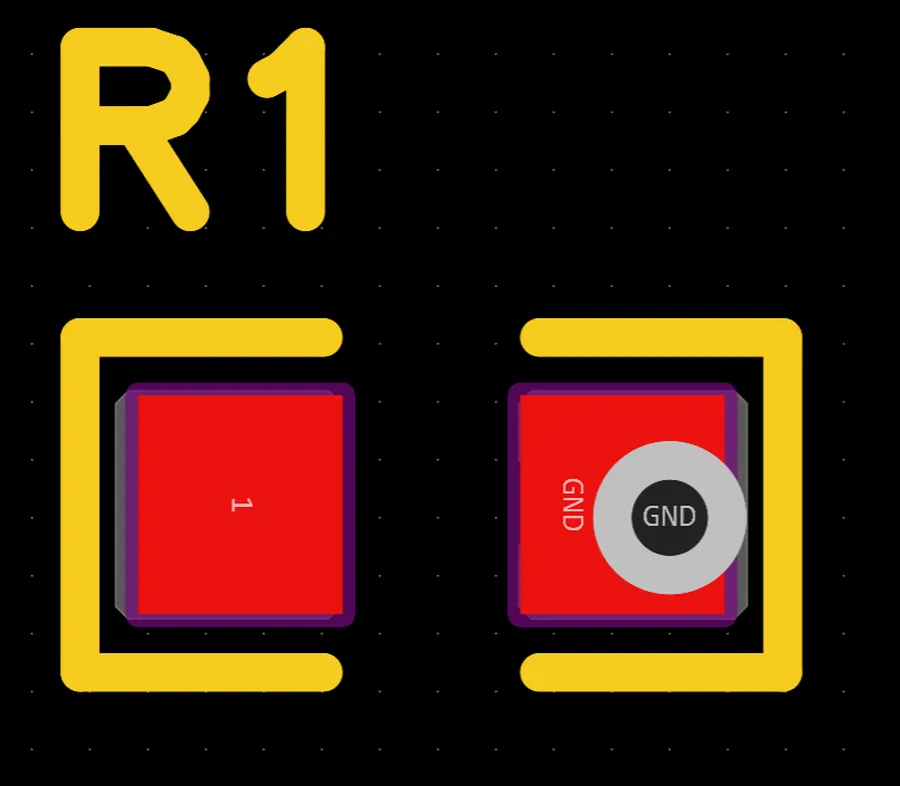
Professional PCB design
EasyEDA Pro presents a compelling option for professional PCB design, offering a range of advanced features that go beyond the capabilities of the standard version. However, its suitability hinges on a careful evaluation of its strengths and weaknesses in the context of professional workflows and project requirements. This section explores these aspects, considering both its potential and the caveats that professionals should be aware of.
Key Considerations for Professional Use:
Performance and Reliability: EasyEDA Pro leverages a new WebGL engine, which generally leads to improved performance, particularly when handling complex designs. However, very large and highly intricate projects may still push the limits of cloud-based processing, requiring adequate internet bandwidth and robust local computer specifications. While generally reliable, users must implement version control and regular saves to mitigate against internet connection problems.
Feature Set and Capabilities: EasyEDA Pro provides advanced features such as enhanced component libraries, sophisticated routing tools, and advanced simulation capabilities that are typically essential for professional projects. The improved collaboration tools are also vital for team-based projects. However, users must carefully ascertain whether the available features align with their specific needs.
Project Complexity and Scale: The suitability of EasyEDA Pro varies depending on project complexity. For intricate, multilayer boards and complex routing challenges, EasyEDA Pro offers substantial improvements over the standard version. However, for very large and extremely high-density projects, the limitations of a browser-based CAD environment can become apparent, particularly when compared to the performance of dedicated software packages that reside locally on a workstation.
Professional Environment Integration: Integration with other professional tools and design environments should be taken into account. EasyEDA Pro may not offer seamless compatibility with every system, file format, or toolset found in a diverse, multidisciplinary professional setting. Therefore, verifying the interoperability with required external software and documentation tools is an important factor when assessing the professional integration of EasyEDA Pro.
Concerns and User Experiences: Some users have reported experiencing software bugs, inconsistent performance, and occasional project loading problems when using EasyEDA Pro. While continuous improvements and updates are being made, it's important to acknowledge the possibility of such issues, and to keep back-ups of all critical data.
Conclusion: EasyEDA Pro has potential as a professional design tool, particularly for projects that benefit from its cloud-based approach and advanced feature sets. However, professionals should meticulously consider its limitations, carefully evaluating whether they align with the required scope, complexity, and workflow. Thorough testing and a robust backup policy are strongly advised.
EasyEDA Professional Pricing and Plans
EasyEDA Pro pricing plans
Understanding the pricing structure of EasyEDA Professional is crucial for users considering its adoption for professional PCB design. While the core software features are entirely free to use, EasyEDA operates on a model where additional services or features may incur costs. This section will detail how the pricing works, clarify what users can access for free, and outline potential costs associated with premium functionalities.
EasyEDA's business model is centered around providing a robust design environment free of charge, while offering additional services as paid options. The core functionalities of EasyEDA, including PCB design, schematic capture, and simulation, are accessible without subscription fees. Instead of directly charging for the software's capabilities, EasyEDA provides additional services related to the production of designed PCB's or for more complex project needs.
Users can freely design, simulate, and download Gerber files, which are standard for manufacturing PCBs. However, EasyEDA also offers integrated manufacturing services, which include PCB prototyping, assembly, and component sourcing. These services are optional and incur costs based on factors such as quantity, specifications, and material selection. The platform does not charge for the core features of the EasyEDA suite.
Workflow Migration to EasyEDA Professional
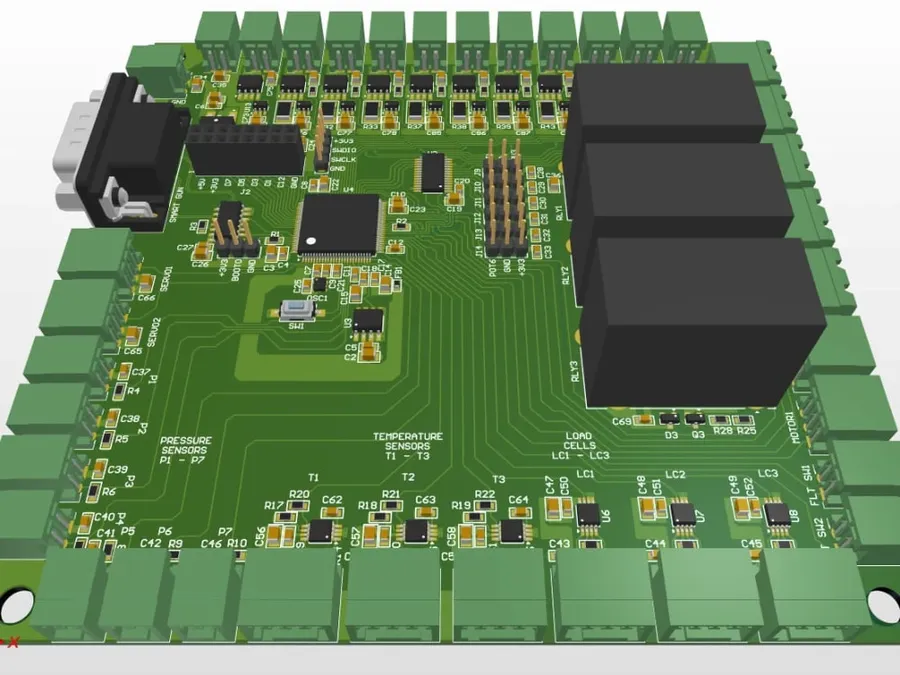
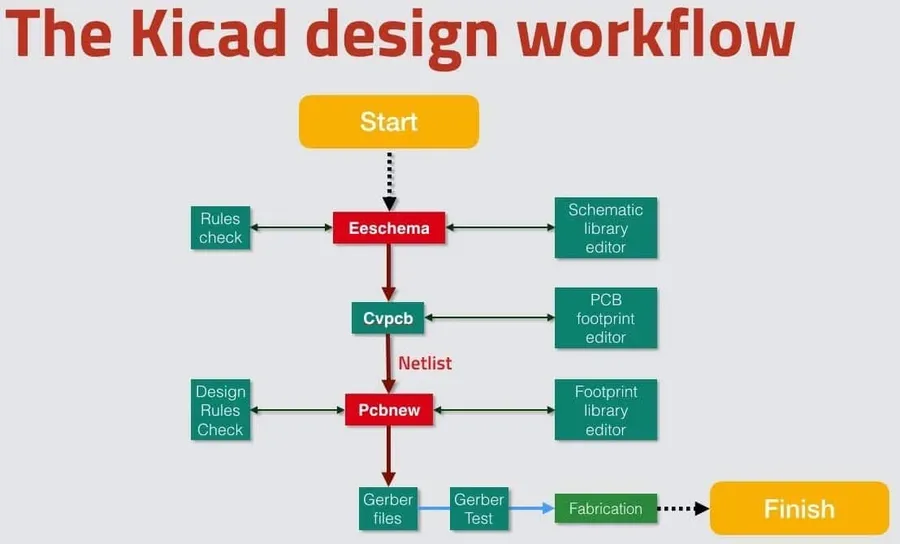
PCB design workflow
Migrating your design projects from the standard EasyEDA to EasyEDA Professional involves a straightforward process, though careful attention to detail is crucial to ensure a seamless transition and to prevent any disruptions in your workflow. This section provides detailed instructions and best practices for migrating your projects effectively, addressing common issues and ensuring compatibility.
Preparation: Backup Your Projects Before initiating any migration, it is paramount to create a complete backup of your existing EasyEDA projects. This measure safeguards your design data and ensures that you can revert to the original versions if needed. This step can prevent permanent data loss in case of unforeseen errors during the migration process. Create a separate archive for each project or for a group of projects, as this will be useful to pinpoint and revert to specific versions in the case of project corruption. Best practice dictates that backups should be saved to a separate physical location or secure cloud storage.
Accessing EasyEDA Professional Ensure you have access to EasyEDA Professional. This could involve logging into a web browser using your account credentials associated with EasyEDA Professional. If you are using the free version, be aware that project access is dependent on the associated subscription to EasyEDA Professional. Please make sure you understand the subscription level associated with your EasyEDA account.
Opening Standard EasyEDA Projects in EasyEDA Professional EasyEDA Professional, with its improved WebGL engine, is designed to handle standard EasyEDA project files without requiring a file format conversion. You can typically open your projects using the standard 'Open' or 'Import' functions located in the EasyEDA Professional interface. The software will automatically detect the project file type and import all relevant schematic and PCB design information. The application will then perform an upgrade as necessary of the project to the new professional file formats. Please be aware that large complex projects may take more time than projects with low component count.
Review Compatibility After opening your projects, it is essential to conduct a meticulous review. Examine all the components, traces, and layers for any discrepancies or distortions. Special attention should be given to any custom library components, as these might need some minor adjustments to display properly. Any errors or warnings should be noted and addressed before moving to production. It is also prudent to perform basic simulations to verify functional equivalency with your original standard version project.
Addressing Potential Issues Occasionally, some older projects or projects with complex layouts may present issues such as missing footprints, corrupted libraries, or rendering errors. If these arise, use the following steps to debug; 1. ensure all of your custom libraries are correctly imported and mapped. 2. Verify that all component footprints are available and properly rendered by replacing the footprints or using the 'update footprint' command. 3. If rendering issues are detected, restart the application, update to the latest version, or update graphics drivers.
Save your project Once you are satisfied with the migrated project, save it within the EasyEDA professional environment. This will permanently convert the project to the EasyEDA Professional file format. It is recommended you also save the project under a different name to avoid any confusion with the original project. Saving your project within EasyEDA Professional means that all the new features and functionality of this version will be available to you, but if it is important to go back to standard mode, it is important to maintain the backup from step 1.
Frequently Asked Questions About EasyEDA Professional
This section addresses common queries regarding EasyEDA Professional, providing clear and concise answers to help users understand its features, capabilities, and suitability for various PCB design needs. We aim to resolve any concerns users may have about this software.
What are the key differences between EasyEDA Standard and EasyEDA Professional? EasyEDA Professional distinguishes itself from the standard version with advanced capabilities, including a more powerful WebGL engine for rendering, enhanced component libraries, sophisticated routing and simulation tools, and features designed for collaborative projects. While the standard version is suited to personal and small-scale projects, EasyEDA Professional is geared towards more complex and demanding professional requirements.
Is EasyEDA Professional entirely free or are there any paid subscriptions? While EasyEDA's core software features are provided completely free of charge, EasyEDA Professional offers several service tiers that expand the functionalities and capacity of the base version. For access to more advanced tools and capabilities that cater to professional users, several paid subscriptions are available with different storage and collaborative capabilities.
Is EasyEDA Pro suitable for professional PCB design work? EasyEDA Pro is well-suited for professional PCB design, particularly for projects that demand advanced routing, simulation, and collaboration tools. The enhanced capabilities and the performance improvements, powered by WebGL, make it a credible option for professionals seeking an alternative to more traditional software. It's essential, however, to evaluate if it fully satisfies the specific technical and support requirements of a professional environment.
How does the installation process of EasyEDA Pro compare to the standard version? EasyEDA Pro is a web-based application, so there is no software to install locally, streamlining the process of upgrading from the standard version. Accessing the professional features is usually done through an updated user profile on the EasyEDA website, ensuring a seamless transition without any installation hassles.
Is EasyEDA Pro considered safe to use and are there concerns about malware? As a reputable cloud-based platform, EasyEDA Pro is considered safe to use. Since it operates online, the risk of local software malware infection is virtually eliminated. Users should always ensure they are accessing the official EasyEDA platform to avoid any phishing attempts.
Can I use EasyEDA Professional for large, complex PCB designs? Yes, EasyEDA Professional is designed to handle large and complex PCB designs, offering improved processing and capabilities that the standard version may struggle with. While the standard version may be adequate for small scale designs, the professional edition includes high-performance tools that allow for larger, more complex projects to be managed more efficiently.
What kind of support does EasyEDA provide for its professional users? EasyEDA provides comprehensive support to its professional users, including detailed documentation, community forums, and access to customer service channels. The level of support may vary depending on your subscription tier, with professional users typically gaining access to higher priority support and more advanced resources. The professional community is also a great source for practical knowledge and experience.
Tips for Maximizing Efficiency with EasyEDA Pro
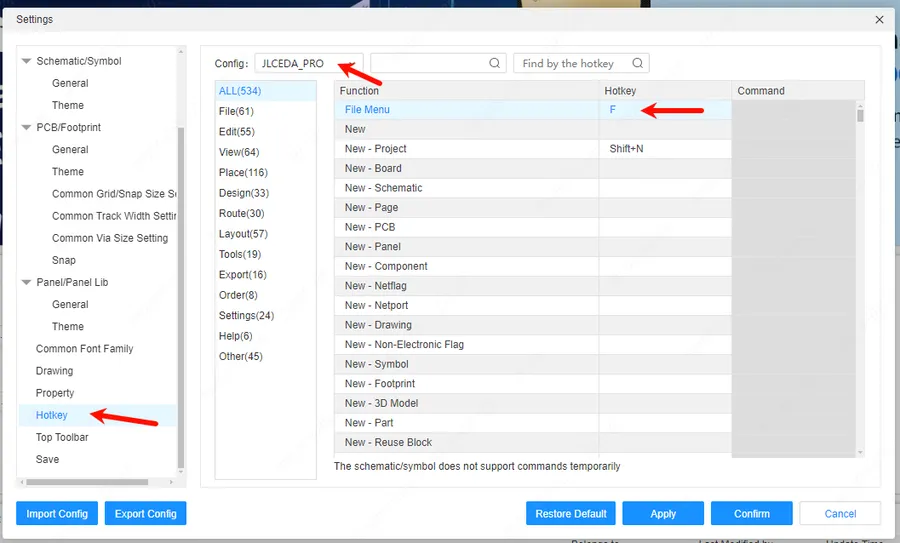
EasyEDA Pro shortcuts
To fully leverage EasyEDA Pro's capabilities, it's essential to adopt efficient workflows and best practices. This section provides actionable advice to enhance your design process, optimize the use of cloud features, facilitate seamless team collaboration, and effectively troubleshoot common design challenges. Implementing these tips will significantly improve your productivity and the quality of your PCB designs.
Optimize Your Design Workflow Start with a clear project plan, detailing the requirements, design goals, and component selection. Prioritize schematic capture to establish a solid logical foundation before moving to PCB layout. Regularly validate your design at each stage to catch errors early, minimizing costly revisions later.
Leverage Cloud-Based Features Take advantage of EasyEDA Pro's cloud platform for seamless access to your projects from any location. Use the version control system to track changes, enabling easy collaboration and backups. Store components and footprints in the cloud libraries to ensure consistency across your projects.
Master Keyboard Shortcuts Invest time in learning the essential keyboard shortcuts. Using shortcuts can dramatically speed up your design process, allowing for faster component placement, routing, and overall navigation within the software. This will enable you to keep your hands on the keyboard, improving focus and decreasing the time you spend using the mouse.
Collaborate Effectively with Teams Utilize EasyEDA Pro's collaborative features to ensure multiple team members can work on the same project simultaneously without causing conflicts. Establish clear roles and responsibilities, using comments and annotations to communicate design decisions and track progress. Use the integrated chat features to streamline conversations related to design tasks.
Utilize Component Library Effectively Take the time to meticulously curate your component library, ensuring that all components are properly defined with accurate footprints and models. This will help ensure design accuracy and reduce the likelihood of errors in the layout stage. The use of well-organized and consistent library components is critical for high-quality PCB design.
Troubleshoot Common Design Errors Become familiar with the common design rule checks (DRCs) and use them regularly to identify potential issues such as clearance violations, short circuits, and trace width issues. Always review DRC results carefully and resolve them before finalizing your designs. Understanding and addressing common design errors can save you from significant rework.
Take advantage of simulation If you are building circuits that require simulation, build the circuits in the simulator and verify functionality before transferring to PCB layout. Simulation allows for an earlier and faster method for identifying and correcting mistakes.
Future Trends and EasyEDA Pro
The landscape of PCB design is continuously evolving, driven by advancements in technology and increasing complexity of electronic devices. EasyEDA Pro is positioned to adapt to these future trends, ensuring it remains a robust and competitive design environment for professionals. This section explores potential future developments and how EasyEDA Pro might integrate emerging technologies.
Several key trends are shaping the future of PCB design. Firstly, there's an increasing demand for higher density interconnects (HDI), requiring more sophisticated design and routing capabilities. Secondly, the integration of AI and machine learning into design tools is becoming more prevalent, offering opportunities for automated routing optimization and intelligent component placement. Thirdly, cloud-based collaboration and real-time data analysis are gaining importance, allowing design teams to work more efficiently and effectively, regardless of location. Finally, sustainability and environmental impact are becoming major concerns, leading to a need for design tools that can optimize PCB designs for materials usage and energy efficiency.
Advanced High-Density Interconnect (HDI) Design Support: Future iterations of EasyEDA Pro will likely include enhanced features for designing complex multi-layered PCBs with microvias, blind vias, and buried vias to address the challenge of creating smaller and more densely packed PCBs.
AI-Powered PCB Design Automation: The integration of artificial intelligence for tasks such as auto-routing, component placement optimization, and design rule checking will be essential for handling increasingly complex PCB designs and improving overall design efficiency. Expect to see AI algorithms that can learn from past design practices and make intelligent suggestions.
Real-Time Cloud-Based Collaboration Tools: EasyEDA Pro is expected to enhance its real-time collaboration capabilities, enabling multiple engineers to work on the same PCB layout simultaneously. This includes features for cloud-based data synchronization and version control, thereby streamlining teamwork and improving productivity.
Integration of Simulation Tools for Signal Integrity Analysis: Future development will likely expand simulation features to integrate signal integrity analysis more effectively. This will help designers to identify and resolve potential signal quality issues early in the design process by simulating impedance matching, transmission line effects and crosstalk on high-speed designs.
Sustainability and Eco-Friendly PCB Design: Future versions of EasyEDA Pro may incorporate features that help designers select more eco-friendly materials and optimize their designs for energy efficiency to minimize the environmental footprint of electronic devices. This may include material selection tools and environmental impact analysis.
Improved Integration with Hardware Manufacturing Processes: EasyEDA Pro may develop closer ties with PCB manufacturers, allowing for direct communication and feedback on the manufacturability of the designs, reducing the number of design-to-manufacture iterations and speeding up the whole development cycle.
EasyEDA Professional presents a compelling option for engineers and designers seeking robust, cloud-based PCB design capabilities. By offering an array of advanced features, a more streamlined workflow, and enhanced collaborative tools, it stands as a capable tool for handling complex designs. While it builds upon the existing foundation of the standard EasyEDA, its professional iteration is designed for serious use, making it a tool worth considering for any professional project. As PCB design technology advances, EasyEDA Professional is positioned to remain a valuable asset for electronic engineering professionals, demonstrating how digital tools can bring professional-grade tools to everyone and driving innovation in electronics engineering.